Space Waves








About Space Waves
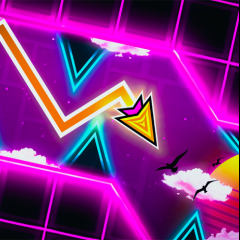
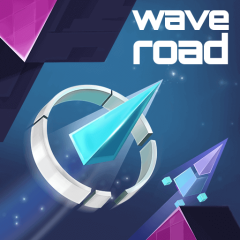
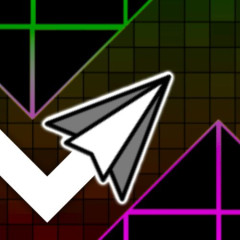
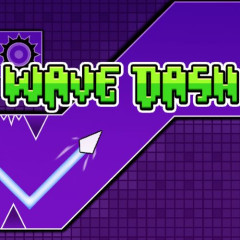
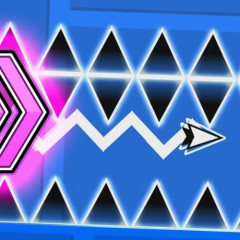
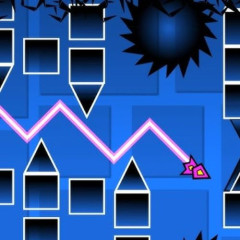
Space Waves is an exciting side-scrolling arcade game that delivers fast-paced action and precision-based challenges. You control an arrow as it flies through obstacle-filled space tunnels, testing your reflexes and timing at every turn.
The core objective is straightforward: guide your arrow safely to the end of each level without crashing into walls, spinning gears, or deadly spikes. The game offers 33 levels on the web version and over 80 handcrafted levels on mobile apps, each presenting a distinct challenge. Difficulty is clearly marked with emoji-based ratings, so you can pick a level that matches your skill level, whether you are looking for a relaxed run or a true test of focus.
Released in April 2024 by do.games, Space Waves has quickly gained a dedicated following thanks to its simple controls, steep learning curve, and satisfying "one more try" gameplay loop. The game is available across multiple platforms, including web browsers (desktop, mobile, tablet) and mobile app stores (iOS and Android). The web version was last updated in June 2026, while the mobile app continues to receive regular updates, with version 1.4.5 released in June 2026.
How to Play
What's Your Goal?
Your mission in every level is the same: reach the finish line without crashing. Unlike many arcade shooters, Space Waves is not about combat; it is pure survival. You will dodge walls, spinning cogs, and spike clusters while maintaining steady forward momentum. There are no enemy ships to shoot, no power-ups to collect, and no lasers to fire. Just you, your arrow, and a gauntlet of obstacles standing between you and victory.
Countless Obstacles
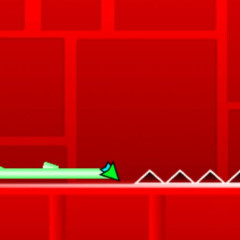
Each level is a carefully crafted obstacle course rather than an endless generation. You will face a variety of hazards: towering walls that require precise climbing, rotating gears that force you to time your movements, and spike formations that demand split-second decisions. The challenge lies not in shooting your way through but in mastering the art of ascent and descent. As you progress, levels become tighter, faster, and more unforgiving, turning every run into a nerve-wracking test of precision.
Levels of Difficulty
Difficulty in Space Waves is transparent and player-friendly. "Green" levels offer wider corridors and more forgiving angles, giving you room to build speed and confidence. As you move into more advanced stages, expect narrower passages, denser obstacle arrangements, and faster rhythms. You can jump to any level at any time, which is great for practice, but starting with the hardest ones is not recommended. The difficulty spike can be brutal, and many players find that building up gradually through the easier levels is the most effective way to develop the muscle memory and timing needed for the truly tough stages.
Enemy Spaceship
Contrary to what some guides suggest, Space Waves does not feature enemy spaceships, combat, shooting mechanics, or power-up items. The game is purely about evasion and navigation. There are no lasers to fire, no enemies to destroy, and no temporary shields or speed boosts to collect. Your only tool is your ability to control your arrow's vertical position with precision and timing. This minimalist design is actually what makes the game so compelling; it strips away distractions and forces you to rely entirely on your reflexes and focus.
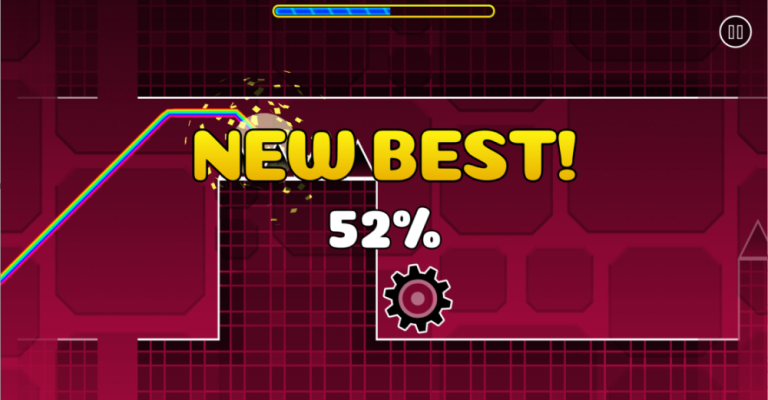
How to Control Your Arrow
The controls are elegantly simple, which makes the challenge all about execution rather than complex inputs:
- PC Controls: Hold the left mouse button, the W key, or the Spacebar to make your arrow rise. Release to let it descend. Press P to pause the game.
- Mobile Controls: Tap and hold anywhere on the screen to make your arrow go up; release your finger to let it go down. That is it. There is no left or right movement, no shooting buttons, and no extra commands.
- Important Note: There are no horizontal controls at all. You only move your arrow vertically, so timing your ascents and descents is everything. Unlike many platformers, gliding only takes your arrow downward, so you will need to proactively rise before approaching slopes or overhead obstacles.
Game Modes
World Mode
World Mode is the main campaign experience, divided into three distinct worlds with increasing complexity. World 1 serves as an excellent tutorial zone with wider paths, fewer hazards, and gentle introductions to each obstacle type. It is the perfect place to build foundational skills. World 2 ramps up the difficulty with tighter corridors and more frequent obstacles. World 3 introduces the "floor is lava" mechanic, where staying too low means instant death, forcing you to maintain constant altitude awareness. You can select any level from any world at any time, giving you the freedom to practice specific challenges or skip ahead if you are feeling brave.
Endless Mode
Endless Mode strips away level progression and throws you into an infinite tunnel of procedurally arranged obstacles. There is no finish line, only the question of how far you can go. This mode is pure survival, testing your endurance, concentration, and ability to maintain precision under sustained pressure. It is also where you will set your high scores and compete against yourself or friends. Unlike World Mode, there are no checkpoints or second chances here; one mistake sends you back to the beginning.
Both modes offer distinct experiences. World Mode is about mastery, learning each level's rhythm and conquering it through practice and strategy. Endless Mode is about resilience, seeing how long you can maintain focus when the obstacles keep coming without mercy. Many players switch between them to keep the experience fresh: World Mode for structured progress, Endless Mode for raw adrenaline and score chasing.
Tips and Strategies for Space Waves
Like any precision game, improvement comes with practice, but strategic practice makes all the difference. Here is what experienced players recommend:
- Use Practice Mode Wisely: If you are stuck on a particularly brutal section, do not keep restarting from scratch. Space Waves offers a practice mode that lets you respawn near your last crash point, usually after watching a short ad. Use this feature to drill the hardest segments until they become muscle memory before attempting a clean full run.
- Learn the Zigzag Technique: When obstacles cluster both above and below your arrow, the safest path is often a rapid zigzag. Tap rhythmically to bounce between the upper and lower boundaries, maintaining steady forward momentum while avoiding both hazards. The key is finding the right rhythm. Too slow, and you will hit a wall; too fast, and you will lose control.
- Start Early, Not Late: Your arrow does not rise instantly; there is a slight delay between holding the control and reaching your desired height. Always begin your ascent earlier than you think you need to, especially before steep inclines or tight gaps. Late reactions are the number one cause of crashes.
- Stay Low Around Circular Spikes: When you see rotating circular spike formations, the natural instinct is to fly your arrow over them. That is often a trap. It is almost always safer to stay low and pass beneath them, as the upper clearance is usually deceptively tight.
- Eliminate Distractions: The game's neon visuals and dynamic backgrounds are eye-catching, but they can also pull your focus away from what matters. Train yourself to ignore everything except the immediate path ahead and the obstacles in your way. Many top players recommend turning off or minimizing visual effects if the option becomes available.
- Build Up Gradually: Do not jump straight into the red-tier difficulty levels out of pride. The game's difficulty scaling is steep, and frustration can set in quickly. Start with green levels, build your confidence, learn the physics of your arrow, and then progressively challenge yourself with harder stages. This approach not only improves your skills faster but also makes the experience far more enjoyable.
Frequently Asked Questions
What platforms is Space Waves available on?
Space Waves can be played directly in your web browser on desktop, mobile, or tablet devices. It is also available as a mobile app on both the Apple App Store (iOS) and Google Play Store (Android). The mobile version features over 80 levels, while the web version has 33 levels.
Is Space Waves free to play?
Yes, Space Waves is free to play on web browsers. The mobile app is also free to download but includes in-app purchases and advertisements. There are optional ads that allow you to continue from where you crashed instead of restarting the level entirely.
Does Space Waves have multiplayer?
Yes, Space Waves includes a Race mode where you compete against AI-controlled characters to reach the finish line first. You can choose between easy or hard difficulty across more than 19 race levels. However, this is not real-time PvP multiplayer; you race against computer opponents.
How many levels does Space Waves have?
The web version of Space Waves has 33 levels across three worlds. The mobile app version offers more than 80 handcrafted levels with increasing difficulty. Both versions allow you to select any level at any time without needing to unlock them sequentially.
Can I play Space Waves offline?
No, Space Waves requires an internet connection to play. The web version runs in your browser, while the mobile app needs connectivity for ads and game features to function properly.
Is Space Waves similar to Geometry Dash?
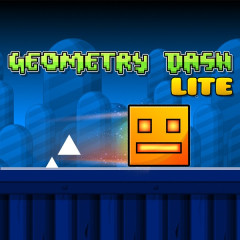
Yes, Space Waves draws heavy inspiration from the Geometry Dash universe. If you enjoy the rhythm-based platforming and precision of navigating tight spaces, you will find a lot of similarities with classic Geometry Dash Lite. The game's intense arrow mechanics and rapid vertical navigation are also highly reminiscent of the popular Geometry Dash Wave mode and the fast-clicking demands found in Geometry Dash Spam. However, Space Waves features its own unique level designs, color-coded difficulty system, and three distinct game modes (Classic, Endless, and Race).
What is the best mode for beginners?
Classic Mode (World 1) is the best starting point for beginners. The levels in World 1 have wider paths, fewer obstacles, and more forgiving angles, allowing new players to get comfortable with the controls and timing before moving on to harder challenges.
Ready to Test Your Reflexes?
Don't just read about it, experience the thrill yourself! Play Space Waves online for free right now in your browser and see how far you can go. Challenge your timing, dodge the spikes, and master every level today!