Geometry Jump 2


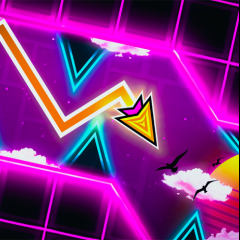
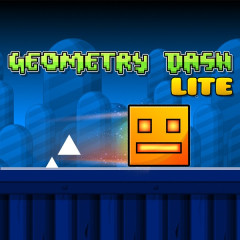


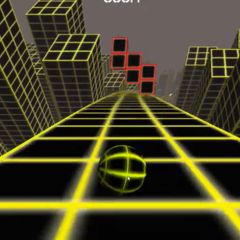


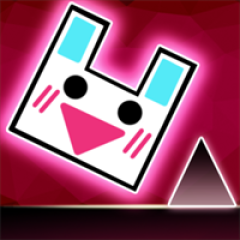
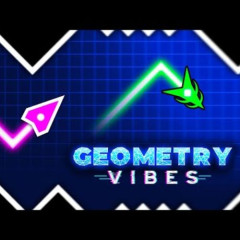


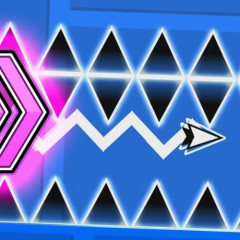
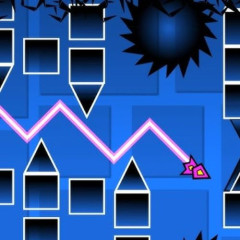
What's New in Geometry Jump 2?
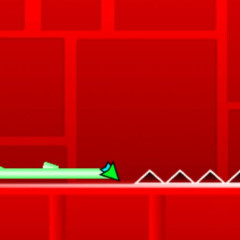
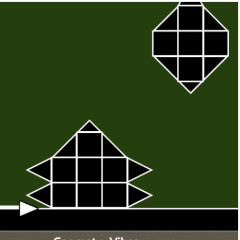
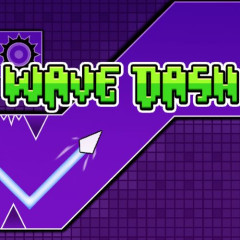
Although often considered a clone of Geometry Dash, Geometry Jump 2 still possesses unique features that attract millions of players. If you enjoy fast-paced rhythm platformers, games like Geometry Jump and Geometry Dash Just Keep Jumping offer a very similar reaction-based experience.
- Jumping and Reflexes: The control system has been optimized to reduce input lag, making mouse clicks or Space key presses precise to the millisecond. In my experience, the feel slightly "heavier" than the original, meaning you need to initiate your jumps a fraction of a second earlier physics to clear triple-spike clusters.
- Energetic Music: Each level features a different piece of music. The rhythm of the music is key to knowing when to jump to overcome obstacles. However, stay alert - some tracks feature "fake beats" in later stages designed to trick your muscle memory.
- Intuitive Interface: Minimalist graphics allow players to focus on the spikes and obstacles without eye strain. This clean look is essential for maintaining a high FPS (frames per second), which is the literal difference between life and death in a rhythm-based game.
Exploring the Levels System in Geometry Jump 2
Instead of grouping levels together, each level in the game is designed to challenge your different skills:
- Beginner Level (Level 1): This is where you get acquainted with the pace of the game. The obstacles are mostly basic single or double jumps. Watch out for the 70% mark; the jump timing tightens significantly right before the finish line.
- Medium Level (Level 2): The challenge gradually increases with the appearance of gravity-reversing gates. The trick here is to focus on the "ceiling" as your new floor - don't try to fight the shift; let the momentum carry you through the portal.
- Advanced Level (Level 3): Movement speed is increased, and traps are placed dangerously close together. Level 3 also introduces “fake safe gaps” - platforms that look reachable at first glance but are actually designed to bait you into spikes. Some later sections honestly feel similar to Geometry Dash: Black Line, especially during the tighter corridor transitions.
- Ultimate Challenge Level (Level 4): This level is for masters. It’s a gauntlet of tight portal transitions. At certain points, you must stop clicking entirely to let the square glide through narrow corridors - over-clicking is the most common reason for failing here.
Obstacle Course Tips for Beginners
Conquering Geometry Jump 2 isn't just about luck; it requires skill:
- Use the Space key instead of the mouse: Many professional gamers prefer the Space key because it provides a more consistent tactile reset, helping you find a better "flow state" during high-speed segments.
- Don't hold down keys for too long: A common mistake is holding down keys for too long, causing the squares to auto-jump into a ceiling spike. Developing a "staccato" tapping style is much safer.
- Memorize the map: If you fail at a difficult section, try to memorize the rhythm rather than just the visual. Coding the level as a series of beats (e.g., "short-short-long") makes it much easier to execute under pressure.
- Close unnecessary tabs: Frame stutters are the ultimate run-killers. Playing with too many background applications open will disrupt the sync between the music and the visual obstacles.
Why choose Geometry Jump 2 instead of the App version?
When comparing Geometry Jump 2 vs Geometry Dash, the web version offers clear advantages:
- Convenience: No download required, no memory usage.
- Completely free: You can experience all features without paying for a license.
- Excellent compatibility: As one of the best Geometry Dash clones for browsers, the game runs smoothly on older computers or school computers where installing external software is often restricted.
FAQs
How do I play Geometry Jump 2 when my school network is blocked?
To access the unblocked version of Geometry Jump for school safely, you should access Space Waves directly at spacewaves.io. This platform is specifically optimized for low-latency browser gaming, helping you bypass generic network filters while maintaining a smooth, lag-free experience.
Can I play on my phone?
Absolutely. You can simply access the game on your smartphone browser, rotate the screen horizontally, and experience it immediately without to install any complicated applications.
How to unlock new icons and colors in Geometry Jump 2?
Unlike the original version which requires in-app purchases, here you only need to accumulate jumps or complete percentage milestones. If you're looking for the rarest skins, focus on reaching the 50% mark on the harder levels - the game rewards skill more than just time spent clicking.